
One shared inbox for every channel.
Inside your own Perfex CRM.
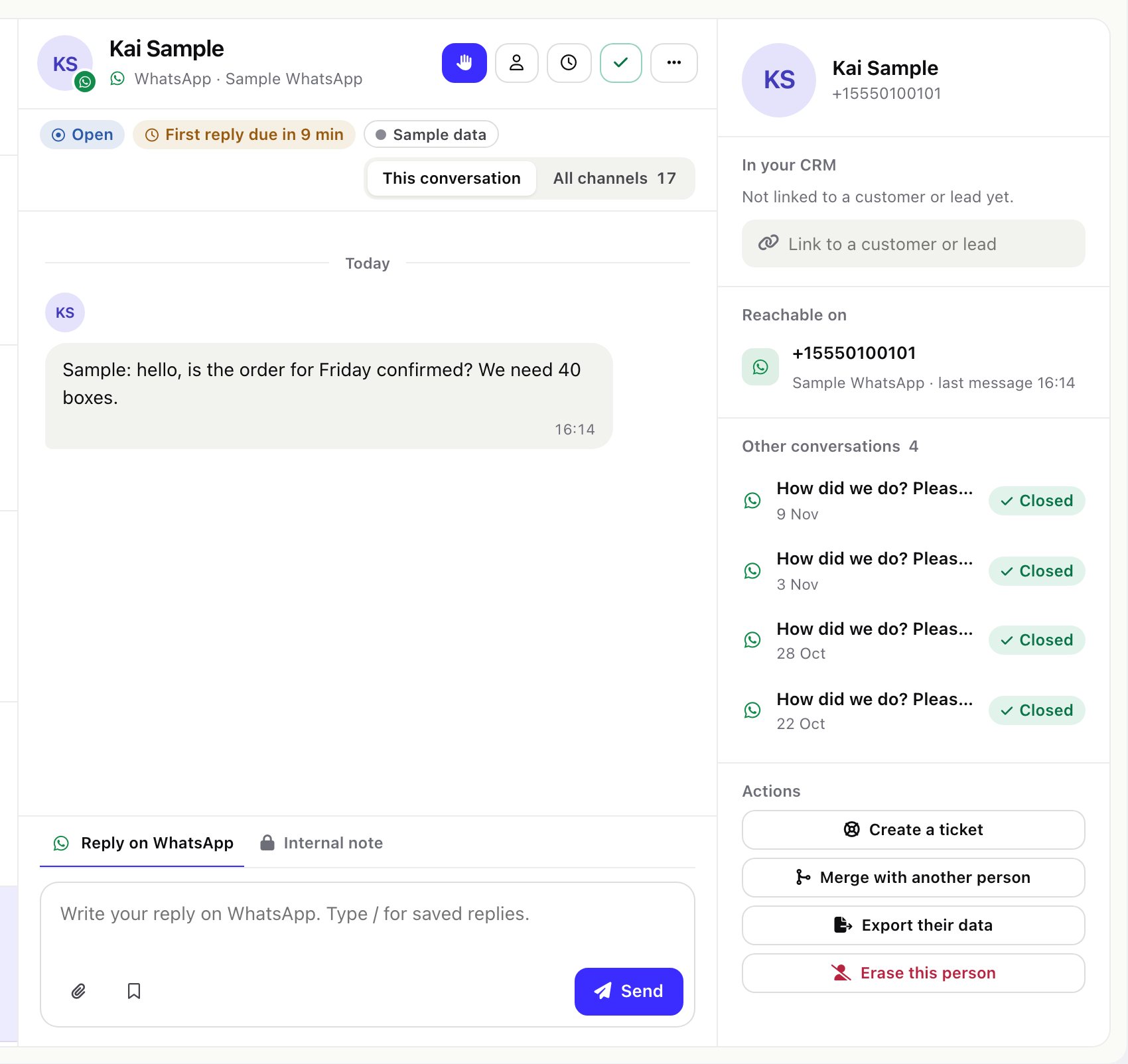
E-mail, WhatsApp, Telegram, Messenger, Instagram, SMS and a website chat in one team inbox: every conversation assigned, linked to the right customer or lead, and measured against your business-hours targets.
01Start here
Omnithread is a module you install into your own Perfex CRM. It adds an Omnithread menu with the shared inbox, a dashboard, reports and the setup pages. Read the pages in order the first time: install, connect one channel, send yourself a message, then add the next channel.
02Before you start
Perfex CRM is sold separately and is not made or endorsed by the author of this module. You need your own, working Perfex CRM 3.2 or newer.
WhatsApp, Messenger, Instagram, Facebook, Telegram, Twilio, Gmail, Google, Microsoft 365, Outlook.com and the AI providers named in these docs are trademarks of their owners. Omnithread is not affiliated with, endorsed or sponsored by any of them. Each channel works with your own account at that provider, under that provider's terms and prices. See Who pays for what.
03What the module does
- Seven channel types in one inbox: e-mail (IMAP and SMTP with a password, or Sign in with Google or Microsoft 365), WhatsApp Cloud API, Facebook Messenger, Instagram direct messages, a Telegram bot, two-way SMS through Twilio and a website chat widget of its own.
- One person across channels: each sender is matched to a Perfex contact, customer or lead by e-mail address or phone number, and the timeline can show every channel of that person.
- Team work: claim and assign, statuses (open, waiting, closed), priorities, labels, snooze, star, internal notes with @mentions, a warning when a colleague has the same conversation open or is writing, merge, and bulk actions with a one-hour undo.
- Reply approval: staff you choose write replies that another staff member approves before they are sent.
- Composer: e-mail reply, reply all, forward and new message with Cc/Bcc, attachments, signatures and drafts saved as you type; chat replies with files; canned replies inserted by typing
/. - Automation: teams with round-robin or least-busy assignment, business-hours calendars with holidays, SLA policies with first-reply and resolution targets, rules (when, if, then) with a dry run, and satisfaction ratings after a conversation is closed.
- Perfex CRM work: create a lead, ticket or task from a conversation; two-way tickets (ticket replies go back out on WhatsApp, Telegram, SMS and the other channels); a Conversations tab on the customer profile; a Messages page in the Perfex client portal.
- Reports: a dashboard, reports by agent and by channel, a busy-hours heatmap, SLA and satisfaction pages, CSV export.
- Operations: a Getting started checklist, a System check, channel health with alerts, a webhook log with replay, one-click sample data.
- Optional AI, off by default: summaries, reply drafts that land in the editor, suggestions you approve, translation, answers from your knowledge base, voice-note transcripts and image descriptions, with your own provider key. The AI never sends a message.
04What version 1.0.0 does not do
So you can plan around it:
- No bulk campaigns or broadcasts, no chatbot or flow builder, no voice calls, no scheduled send, no follow-up reminders and no mobile app.
- The AI never replies on its own. A draft only lands in the editor; a person reads it and presses Send.
- WhatsApp is connected by pasting your Meta app's values by hand. There is no Meta Embedded Signup, and using the WhatsApp Business app on the same number (Coexistence) is not supported.
- Telegram: private chats with your bot only. Messages in groups and channels are ignored.
- SMS replies carry text only. Pictures customers send by MMS do arrive.
- Live parts (new messages, "is writing") use short polling, not WebSockets, so they also work on shared hosting.
- Only the English language file ships. Every text goes through Perfex's translation function, so you can add your own (see Languages).
- Perfex multi-tenant (SaaS) installations have not been tried.
05How it works
Mailboxes are read by the Perfex cron job. Chat channels send each new message to a webhook address of your CRM; every address carries a secret key, and the provider's own signature is checked. Each message joins a conversation, the conversation belongs to one person, and the person is linked to your Perfex record when the e-mail address or phone number matches.
06Compatibility and testing
Version 1.0.0 is built for Perfex CRM 3.2 or newer, PHP 8.1 or newer and the MySQL or MariaDB database your Perfex already uses. It was developed on PHP 8.5.
Before release the module passed its suite of 1,208 automated tests (9,966 assertions) on SQLite and again on MariaDB 13 in strict mode. Install, re-activation, upgrade through the migration and uninstall were run on MariaDB in strict mode. A performance run with 20,000 conversations and 100,000 messages kept the inbox list, counters, dashboard and reports under 60 ms per call; full-text search took about 0.25 to 0.3 seconds. The screens were checked in a browser at desktop and phone width, in light and dark.
The channel and AI integrations were tested against the request and webhook formats documented by Meta, Telegram, Twilio, Google, Microsoft and the AI providers, not against live accounts. Connect one channel at a time and send yourself a test message before you rely on it; the channel health page tells you when something stops.