
Every setting, address and limit.
In one place.
Settings with their defaults, permissions, the cron work, the Perfex hooks the module uses, its addresses and tables, merge fields, limits and how to translate the texts.
01Settings
Omnithread > Setup > Settings (permission Settings). Each value is a Perfex option named omnithread_<key>. Secret values are stored encrypted, never shown again, and kept when you leave their field empty.
| Tab | Setting | Default | Allowed |
|---|---|---|---|
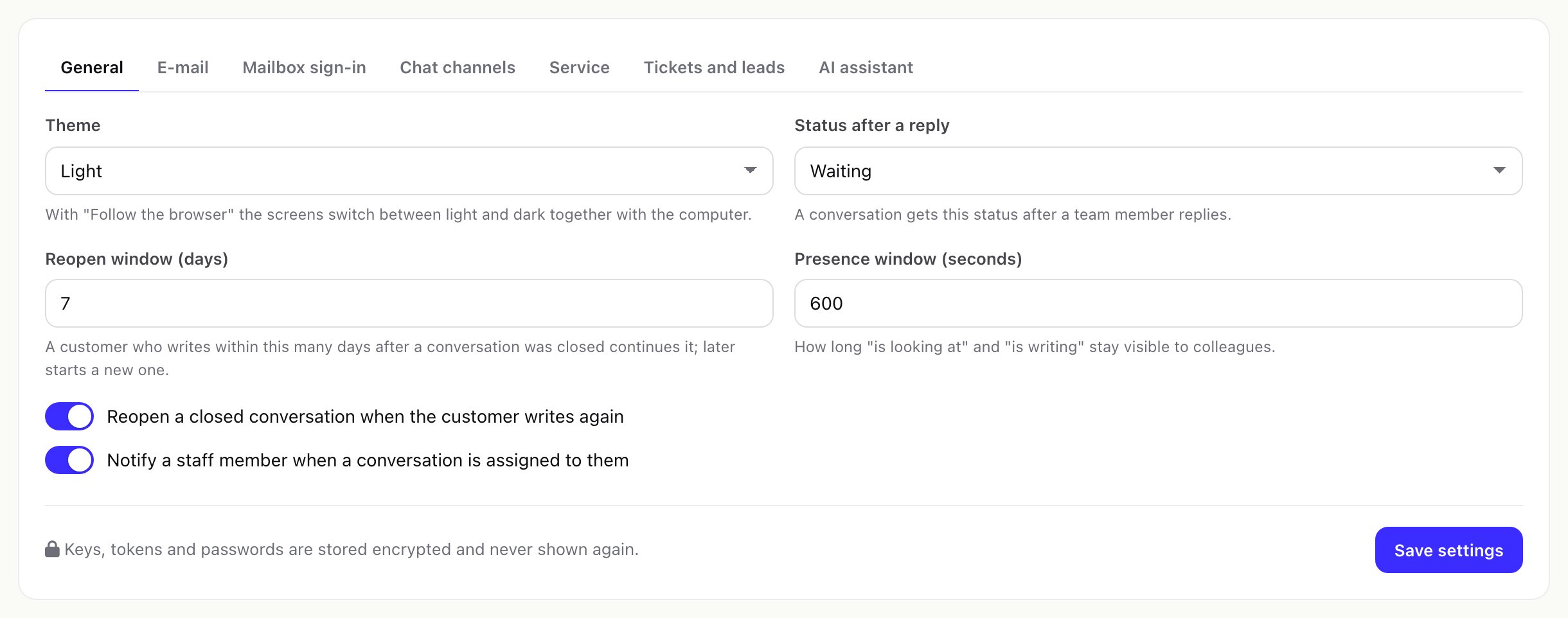
| General | Theme | Light | Light, Dark, Follow the browser |
| General | Status after a reply | Waiting | Open, Waiting, Closed |
| General | Reopen window (days) | 7 | 0 to 365 |
| General | Presence window (seconds) | 90 | 20 to 600 |
| General | Reopen a closed conversation when the customer writes again | On | On, Off |
| General | Notify a staff member when a conversation is assigned to them | On | On, Off |
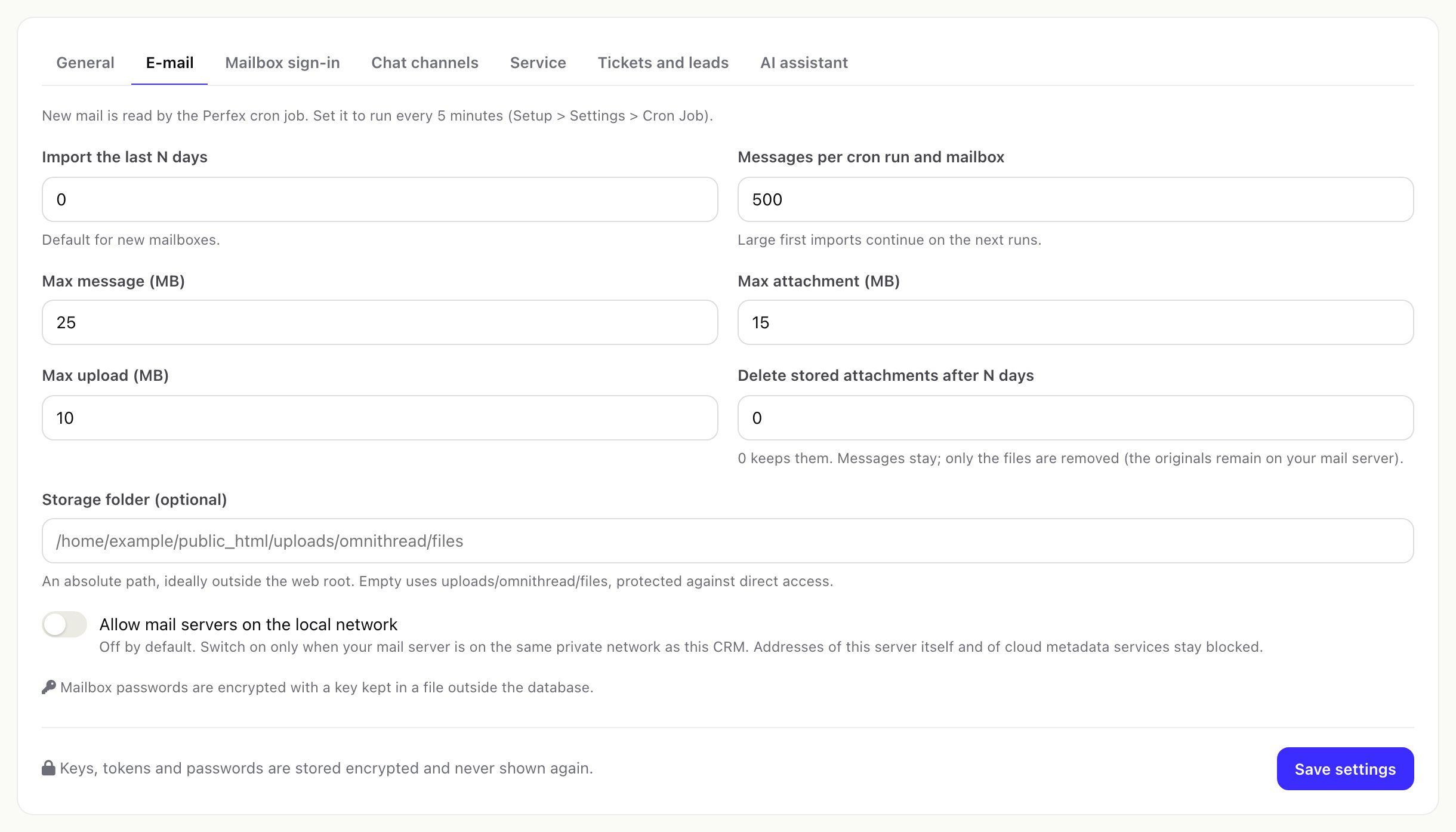
| Import the last N days (default for new mailboxes) | 30 | 0 (everything) to 3650 | |
| Messages per cron run and mailbox | 50 | 1 to 500 | |
| Max message (MB) | 25 | 1 to 200 | |
| Max attachment (MB) | 15 | 1 to 100 | |
| Max upload (MB) | 10 | 1 to 100 | |
| Delete stored attachments after N days | 0 (keep) | 0 to 3650 | |
| Storage folder (optional) | Empty = uploads/omnithread/files | An absolute path without .. | |
| Allow mail servers on the local network | Off | On, Off | |
| Mailbox sign-in | Google client ID and client secret | Empty | From your Google Cloud OAuth client |
| Mailbox sign-in | Microsoft client ID and client secret | Empty | From your Microsoft Entra app |
| Mailbox sign-in | Tenant | common | common, organizations, consumers or a tenant ID |
| Chat channels | Meta Graph API version | v27.0 | v and a number |
| Chat channels | Mailbox check warning (minutes) | 60 | 5 to 10080 |
| Chat channels | Website chat messages per visitor per minute | 20 | 1 to 600 |
| Chat channels | Largest file a visitor may send (KB) | 5120 | 100 to 51200 |
| Chat channels | Forget idle website chat sessions after (days) | 30 | 1 to 365 |
| Chat channels | Client portal messages go through | The first website chat that is on | Any website chat channel |
| Chat channels | Keep the content of incoming webhooks for 14 days | On | On, Off |
| Service | Default business hours | Around the clock | Any calendar |
| Service | Time zone of reports | The CRM's time zone | Any time zone |
| Service | Ask customers to rate closed conversations | Off | On, Off |
| Service | Ask on these channels | None ticked = every channel | Channel types |
| Service | Message with the link | Empty = default text | Up to 500 characters, {link} for the link |
| Service | The link works for (days) | 7 | 1 to 90 |
| Service | Reopen the conversation | Never | When the score is below 2, 3, 4 or 5 |
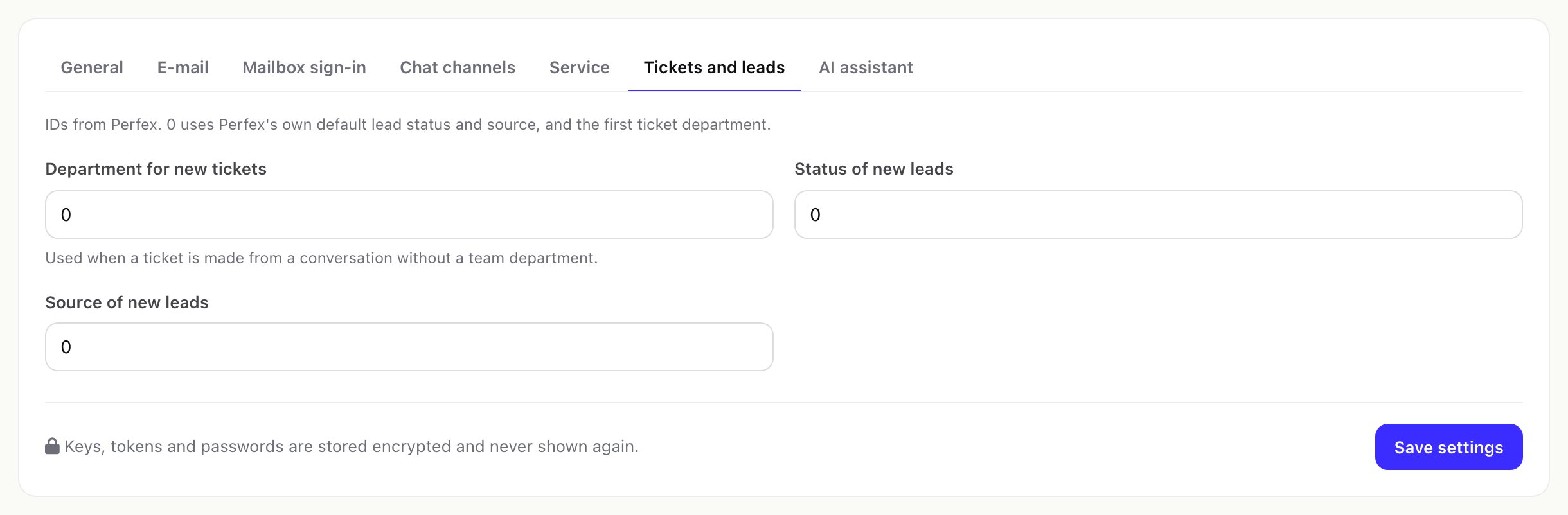
| Tickets and leads | Department for new tickets, Status of new leads, Source of new leads | Perfex default (0) | A Perfex department, lead status, lead source |
| AI assistant | Switch on the AI assistant | Off | On, Off |
| AI assistant | Provider | Anthropic Claude | Anthropic Claude, OpenAI, Google Gemini, OpenRouter, Ollama (local), OpenAI-compatible endpoint |
| AI assistant | Model, API key, Address | Empty | Address only for Ollama and custom endpoints |
| AI assistant | Requests per month (whole install) | 500 | 0 (no limit) to 1,000,000 |
| AI assistant | Requests per staff member per day | 30 | 0 (no limit) to 100,000 |
| AI assistant | Tone for all mailboxes | Empty | Up to 300 characters |
| AI assistant | Apply suggested labels / priority without approval | Off | On, Off |
| AI queue page | Transcription model | Empty (OpenAI: gpt-transcribe) | A model name |
02Setup pages and who opens them
| Page | Permission |
|---|---|
| Getting started | Manage channels, Manage rules or Settings |
| Channels, WhatsApp templates (and each channel, the website chat, webhook log) | Manage channels |
| Teams, Business hours, SLA policies, Rules | Manage teams, business hours, SLA policies and rules |
| Canned replies | Write, reply and add notes |
| Labels | Assign, change status, labels and links |
| Settings | Settings |
| System check | Settings or Manage channels |
The full permission list is in Staff permissions.
03Cron work
One task registered with Perfex's cron (or, on installs without cron task registration, attached to the end of the Perfex cron run). Steps, in order: mail sync, link new records, release stuck drafts, outgoing queue, wake snoozed, automatic translation, SLA, ticket replies, channel health, report tables; once a day the clean-up. Each step runs on its own; one failing step does not stop the others, and the module never breaks Perfex's cron. Details: The cron job.
04Perfex hooks used
| Hook | Used for |
|---|---|
admin_init | Permissions, the Omnithread menu, the customer profile tab |
app_admin_head, app_admin_footer | The module's styles and scripts, only on its own pages and the customer profile |
module_omnithread_action_links | Setup and Settings links in Setup > Modules |
customer_profile_tabs | The Conversations tab |
clients_init | The Messages item in the client portal |
register_cron_task (fallback after_cron_run) | The cron work |
steward_ai_register_tools | Tools for the separate Steward AI module, when installed |
Version 1.0.0 fires no hooks of its own.
05Addresses
| Address | Page |
|---|---|
admin/omnithread/inbox | Inbox |
admin/omnithread/reports | Dashboard |
admin/omnithread/reports/overview (agents, channels, heatmap, sla, csat) | Reports |
admin/omnithread/setup/<page> | Setup pages |
admin/omnithread/ai | AI queue (when AI is on) |
admin/omnithread/setup/oauth_callback/google, …/microsoft | Redirect addresses for mailbox sign-in |
omnithread/hook/in/<id>-<key> | Webhooks (public) |
omnithread/widget/js | The website chat script (public) |
omnithread/rate/<token> | Satisfaction page (public) |
omnithread/portal | Messages in the client portal (logged-in contacts) |
06Database tables
39 tables, each with your Perfex prefix (usually tbl) before the name:
ot_accounts, ot_account_access, ot_folders, ot_threads, ot_messages, ot_attachments, ot_labels, ot_thread_labels, ot_notes, ot_templates, ot_drafts, ot_presence, ot_staff_prefs, ot_ops, ot_ai_actions, ot_undo, ot_audit, ot_people, ot_identities, ot_saved_views, ot_mentions, ot_ticket_links, ot_teams, ot_team_members, ot_assign_state, ot_rules, ot_rule_runs, ot_calendars, ot_holidays, ot_sla_policies, ot_csat, ot_webhook_log, ot_outbox, ot_wa_templates, ot_widget_sessions, ot_stats_daily, ot_stats_times, ot_stats_hourly, ot_channel_health.
Perfex's own tables are never altered. The module reads some of them (staff, roles, departments, customers, contacts, leads, lead statuses and sources, customer groups, knowledge base, invoices, tickets, projects) and creates leads, tickets, ticket replies and tasks through Perfex's own functions.
07Merge fields for canned replies
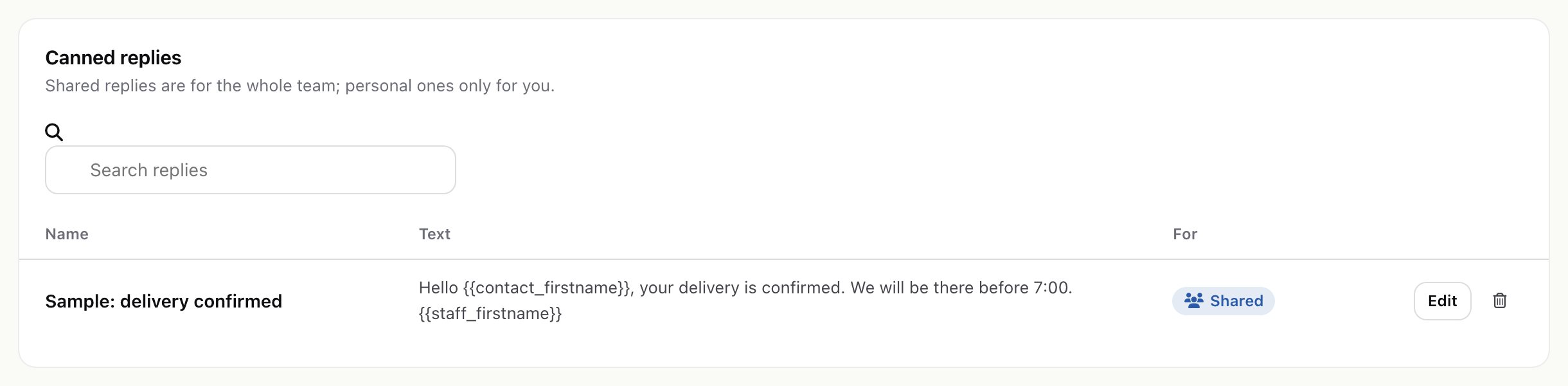
Write them with double braces, for example {{contact_firstname}}. A field without a value becomes empty.
{{contact_firstname}}, {{contact_lastname}}, {{contact_name}}, {{company}}, {{staff_firstname}}, {{staff_lastname}}, {{staff_name}}, {{mailbox_name}}, {{mailbox_email}}, {{subject}}, {{today}}
08Limits built into the module
| What | Limit |
|---|---|
| Webhook request body | 1 MB |
| Webhook log | 14 days |
| Website chat message / new chats | 4,000 characters / 10 per hour from one network address per chat |
| Client portal messages | 4,000 characters, 30 per contact per hour |
| Telegram message / SMS reply | 4,096 / 1,600 characters |
| E-mail recipients | 100 per message |
| Rule size | 20 conditions and 20 actions |
| Undo of bulk changes and merges | 1 hour |
| Satisfaction comment | 2,000 characters |
| Outgoing retries | After 1, 5, 15, 60 and 240 minutes |
| AI context | 60 most recent messages, each up to 3,000 characters, about 14,000 characters in total |
09Languages
Every text goes through Perfex's translation function. The module ships English in five files under modules/omnithread/language/english/: omnithread_lang.php (main), omnithread_inbox_lang.php, omnithread_setup_lang.php, omnithread_insights_lang.php (dashboard, reports, rating page, portal) and omnithread_ai_lang.php.
- Change a few texts: override the keys in Perfex's
custom_lang.phpfor your language, as you do for Perfex's own texts. Updates of the module do not touch it. - Translate the module: copy the five files into
modules/omnithread/language/<language>/, using the folder name Perfex uses for that language, and translate the texts on the right of each=. Keep%splaceholders. Keep a copy: an update replaces the module folder.