
● Omnithread · Daily work
What needs the team now.
And how the last weeks went.
The dashboard for the day, and reports by agent, channel, busy hours, SLA and satisfaction, with CSV export. Figures cover only the channels and conversations each person may see.
01Dashboard
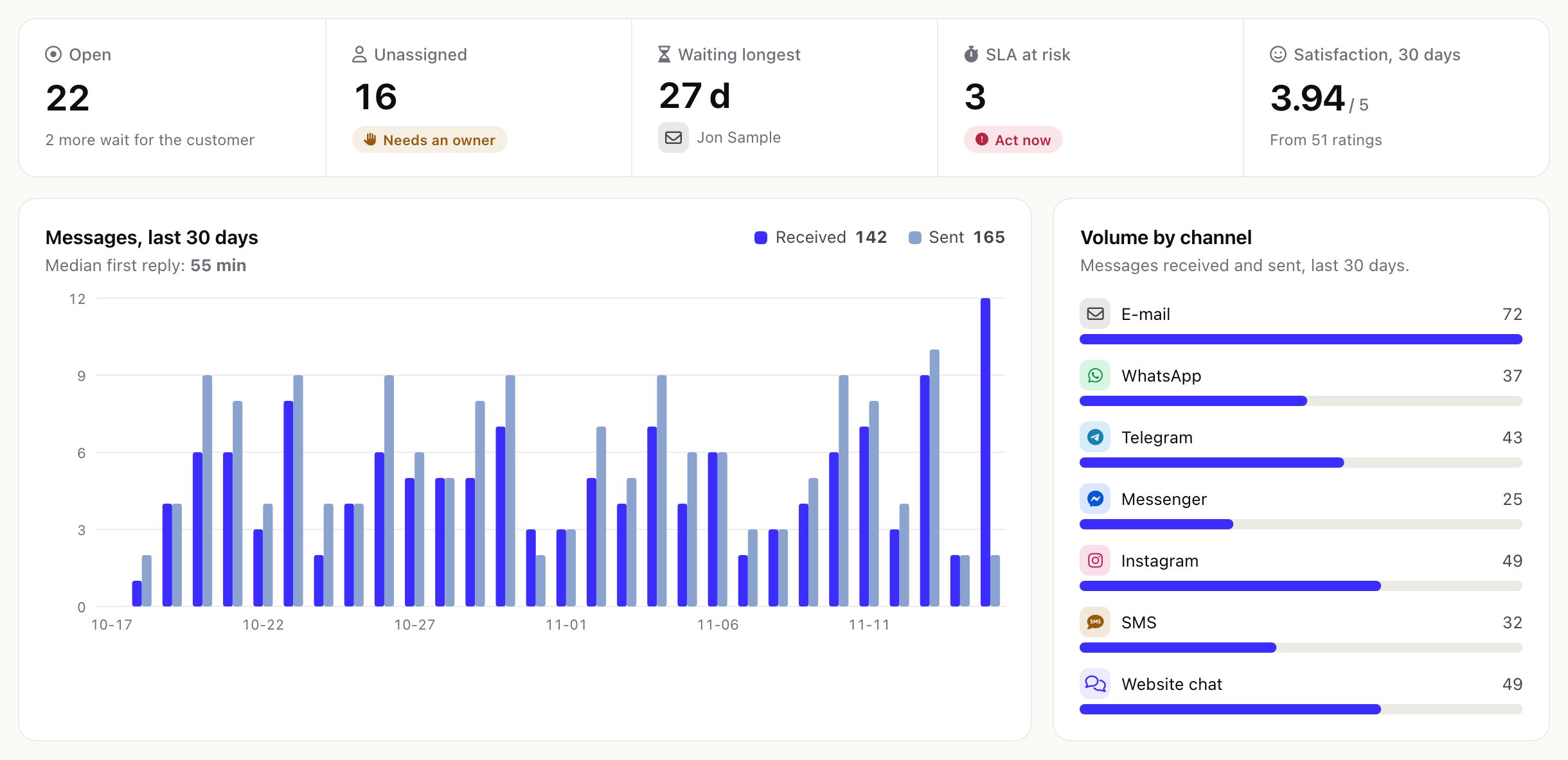
Omnithread > Dashboard (staff with a view permission or See the dashboard and reports) shows:
- Open conversations and how many more wait for the customer, Unassigned, Waiting longest, SLA at risk and Satisfaction, 30 days.
- Messages received and sent per day over the last 30 days, with the median first reply, and the volume by channel.
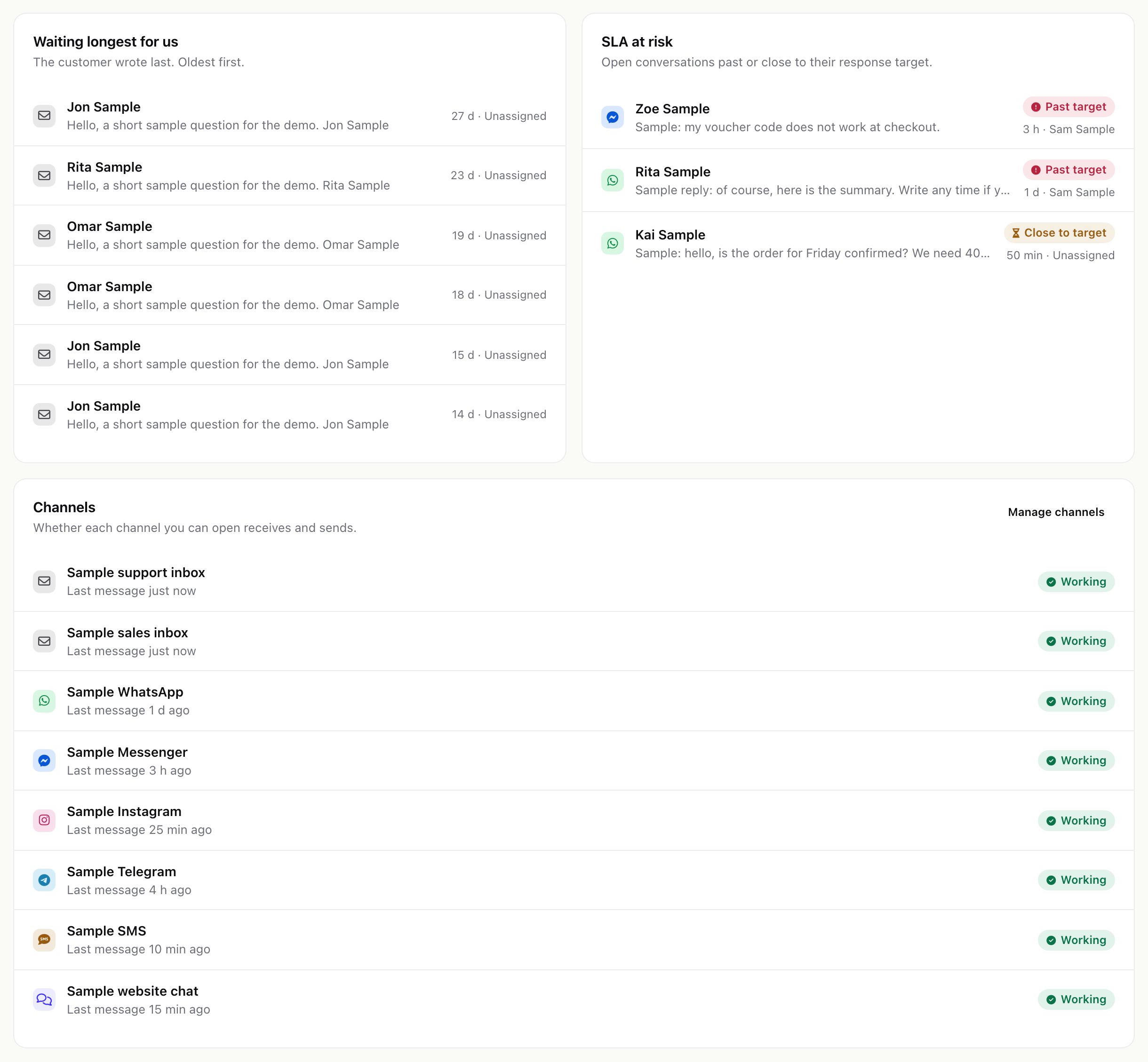
- The conversations waiting longest for your team, the open conversations past or close to their target, and the health of every channel you can open.
02Reports
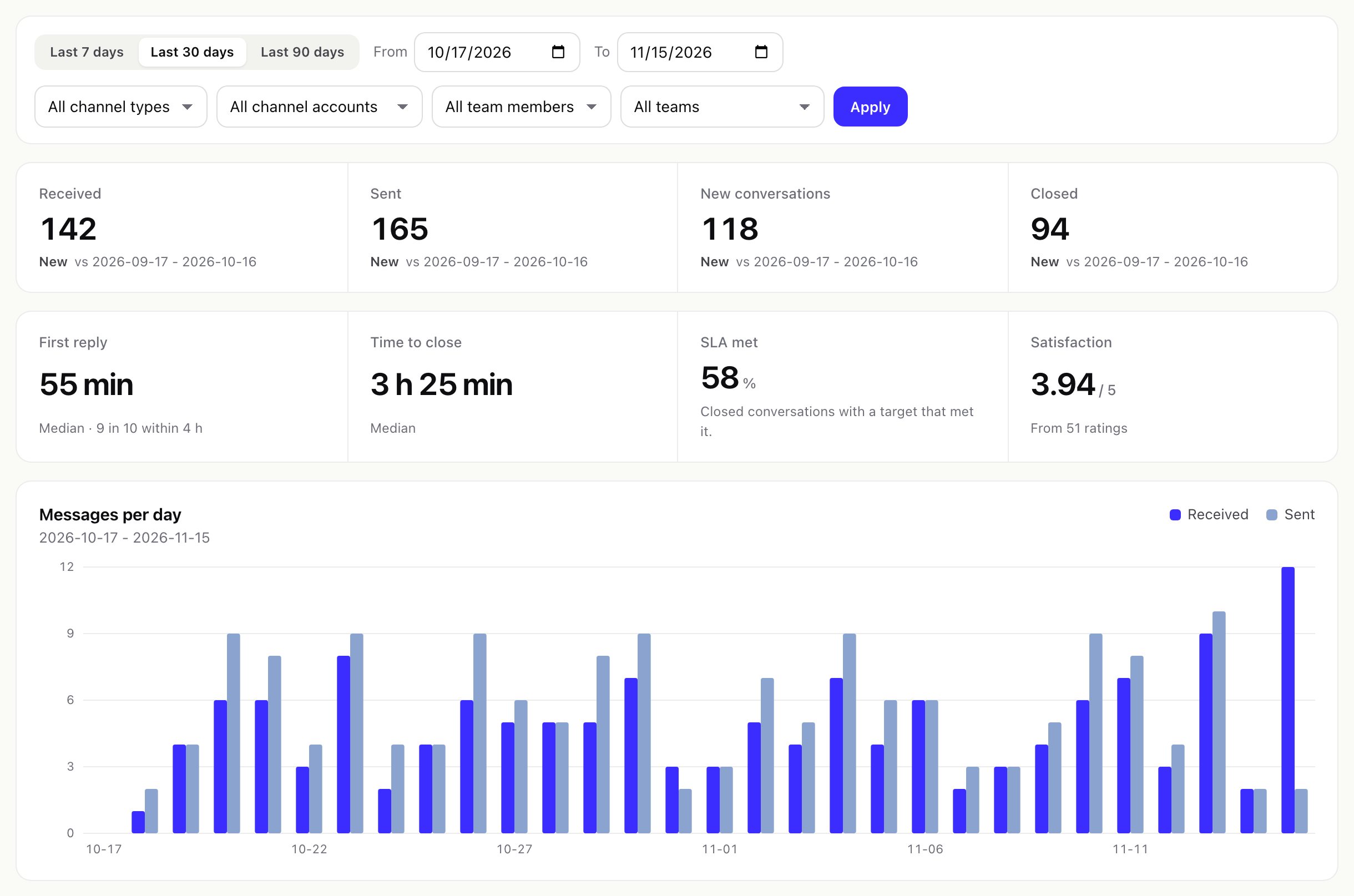
Omnithread > Reports (permission See the dashboard and reports). Choose a period (last 7, 30 or 90 days, or your own dates, up to two years) and filter by channel type, channel account, team member or team.
| Report | What it shows |
|---|---|
| Overview | Received and sent messages, new and closed conversations, first reply and time to close (median, and the time within which 9 in 10 were answered), SLA met, satisfaction, messages per day and a day-by-day table. |
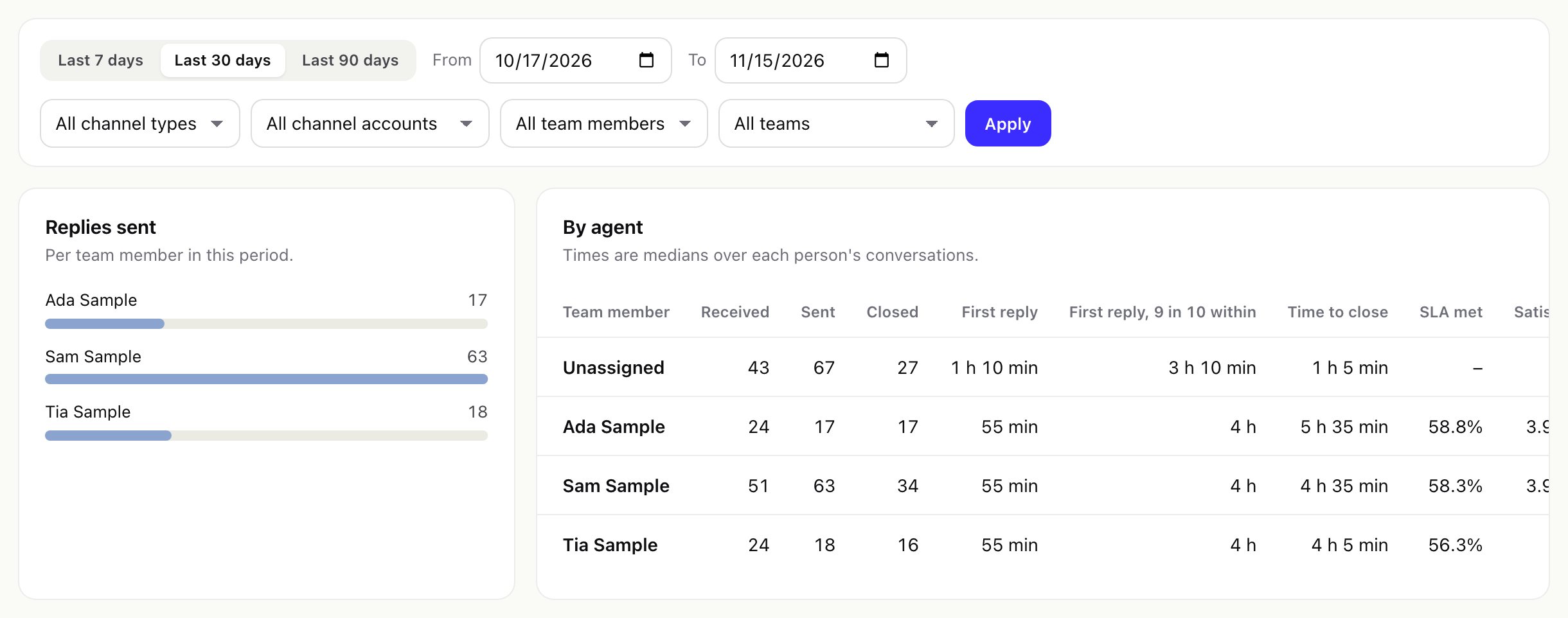
| By agent | Per team member: replies sent and median times. Replies count for the person who sent them, everything else for the person assigned. |
| By channel | Received messages and median times per channel. |
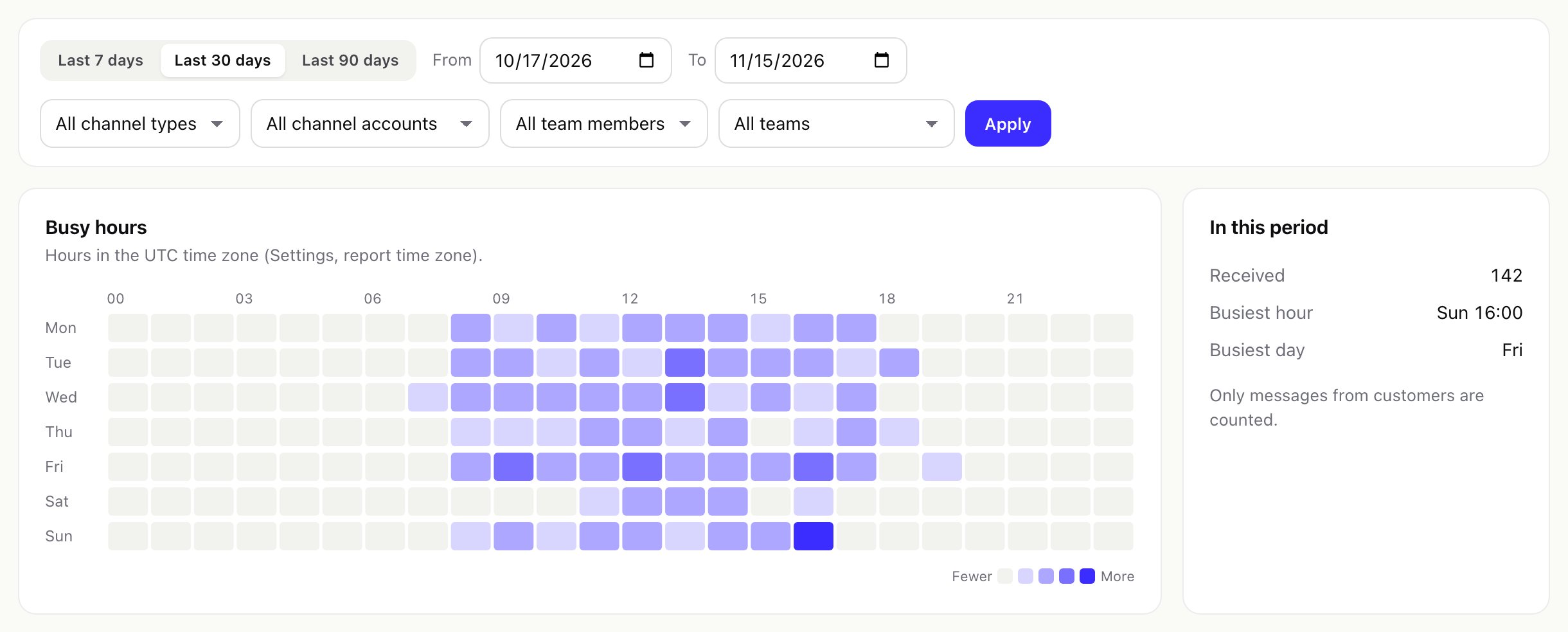
| Busy hours | Customer messages by weekday and hour, in the report time zone, with the busiest hour and day. |
| SLA | Share of closed conversations that met their targets, per day, and the open conversations already past their target. |
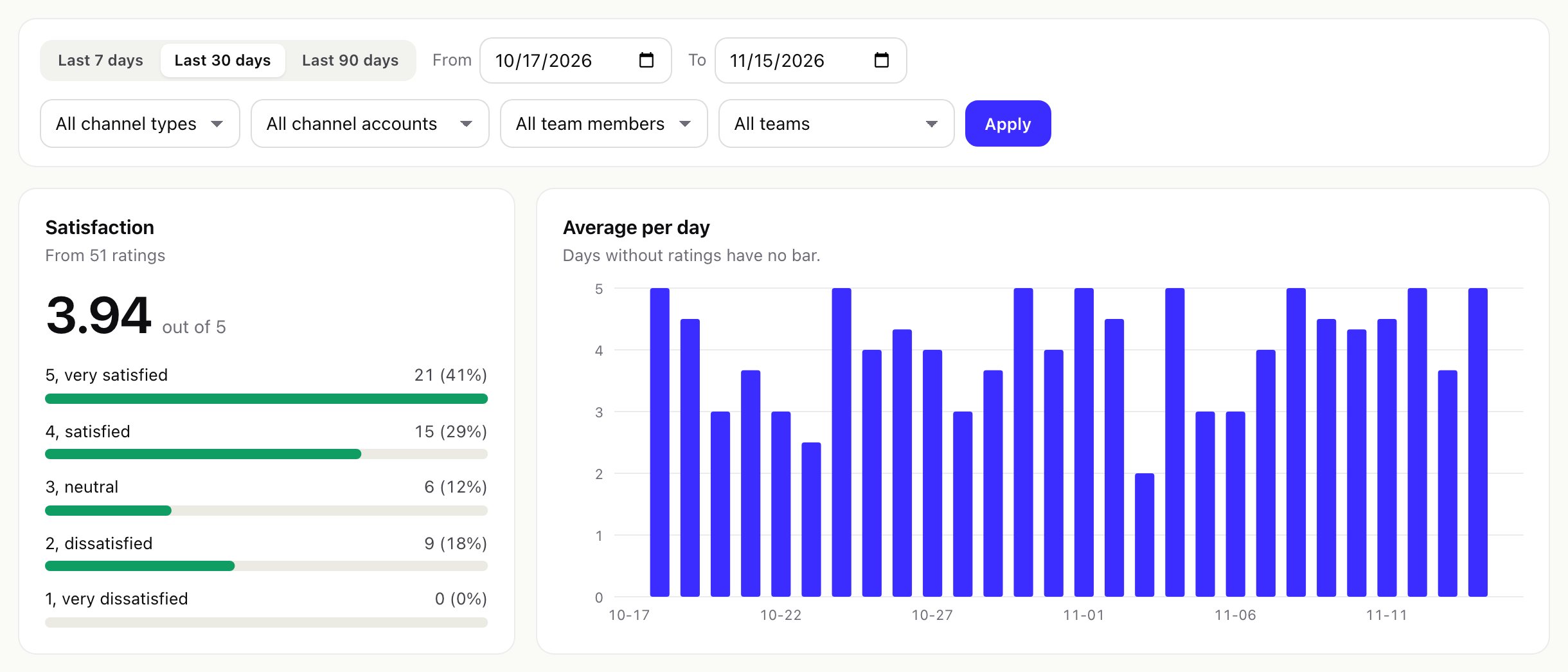
| Satisfaction | Average score, the spread of scores, the average per day, the newest ratings with comments, and scores by team member and channel. |
03Satisfaction report
04CSV export
Export CSV on a report downloads its figures for the chosen period and filters (day by day, by agent, by channel or busy hours). Times in the CSV are in seconds.
05Time zone and freshness
- Days and hours in reports follow Settings > Service > Time zone of reports; empty uses the CRM's time zone.
- Reports read from summary tables that the cron refreshes for the last two days on every run; today is recounted when you open a report. Older days do not change.