
Conversations that know the customer.
And turn into Perfex work.
How senders are matched to your Perfex contacts, customers and leads, how to link and merge people, and how a conversation becomes a lead, a task or a two-way ticket.
01People and records
Every sender is a person in Omnithread. A person can be reachable on several channels (an e-mail address, a WhatsApp number, a Telegram account …) and has one timeline over all of them.
- Automatic link. A new message is linked to a Perfex contact (and its customer) or a lead when the e-mail address or the phone number matches. Phone numbers are compared in a normalised form. The cron also links conversations of the last 30 days when a matching customer or lead is added later.
- Website chat is the exception: an address typed into the chat is never used for an automatic link (see E-mail addresses typed into the chat).
- Link by hand. In the person panel use Link to a customer or lead and search by company, name or e-mail. The person's conversations follow.
- Unlink. An unlinked conversation is not linked automatically again. Unlinking a person also unlinks their conversations, except those linked by hand.
- Merge with another person when the same customer wrote from two places (for example WhatsApp and e-mail). The other person's channels and conversations move to the one you keep.
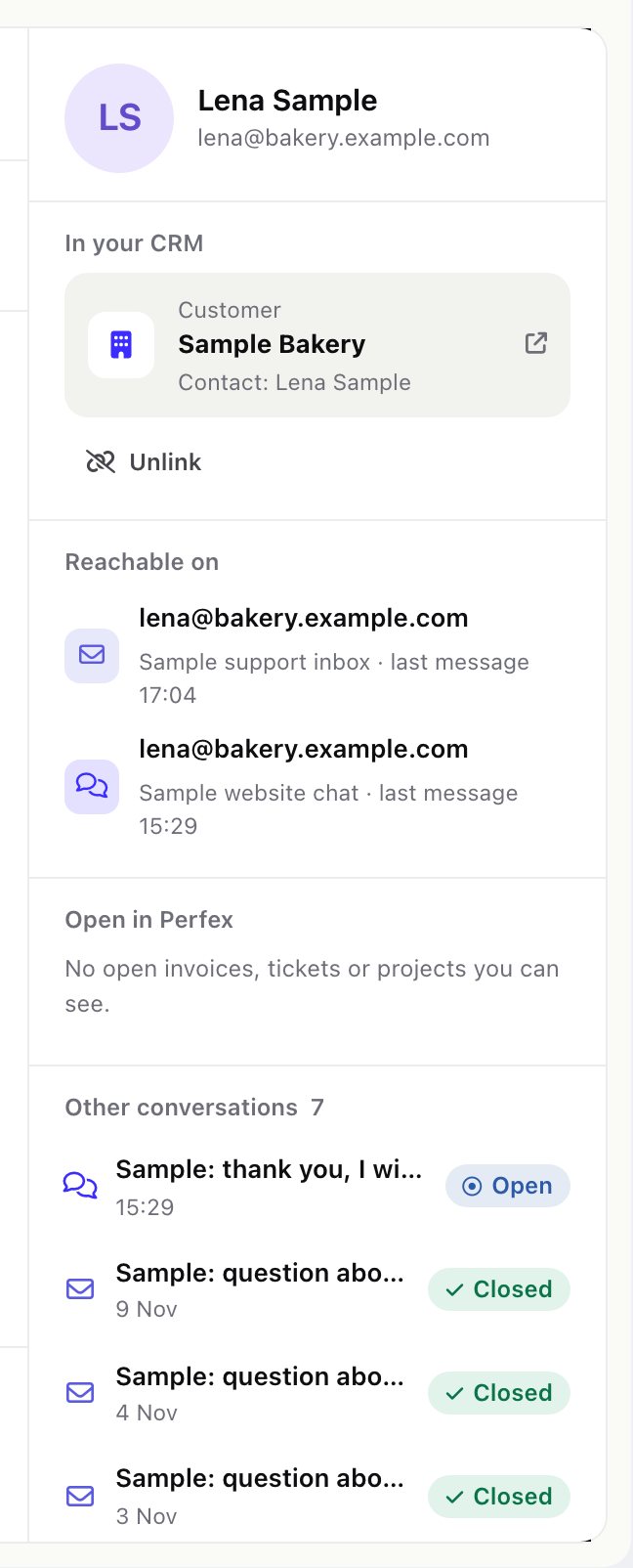
The person panel also lists Open in Perfex: the customer's open invoices, tickets and projects that the staff member is allowed to see in Perfex, and the person's other conversations. A record the staff member may not open is shown as Linked to a customer or lead you cannot open.
02Create a lead, ticket or task
From the conversation's actions (needs the permission Assign, change status, labels and links):
- Create a lead: Perfex creates the lead with the status and source set in Settings > Tickets and leads (0 = Perfex's own defaults), and the conversation is linked to it.
- Create a ticket: the ticket gets the conversation so far (up to the last 50 messages) and goes to the department of the conversation's team, or else to Department for new tickets in Settings (0 = the first department). It is assigned to you and linked both ways (see below).
- Create a task: a Perfex task about the conversation.
Each time, Omnithread leaves an internal note in the conversation saying what was created. If Perfex refuses the record, check the lead status and source or the ticket department in Settings.
03Two-way tickets
- Customer to ticket. Every new customer message in a linked conversation is added to the ticket as a reply from the contact.
- Ticket to customer. A staff reply written in the Perfex ticket is sent to the customer on the conversation's channel (WhatsApp, Telegram, SMS, e-mail …) by the next cron run.
- Safety. A ticket reply goes out only when its author could have sent it from the inbox: they need Write, reply and add notes, must not be under approval, and must be able to open the conversation. Replies the channel cannot take right now (for example a closed WhatsApp window) are skipped, and the author gets a Perfex notification. Replies that were already in the ticket before it was linked are never sent.
A rule with the action Create a ticket links its ticket the same way.
04Conversations on the customer profile
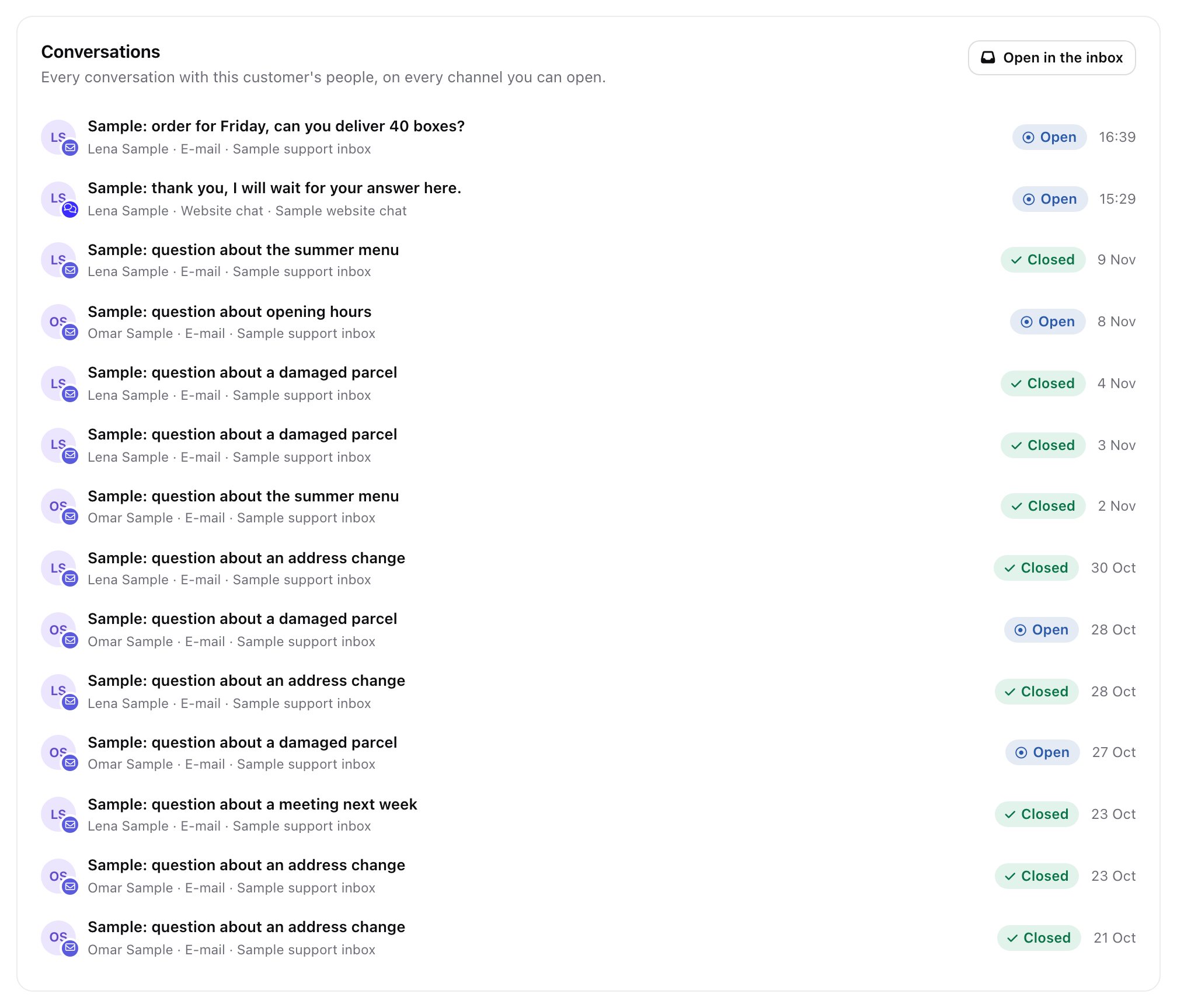
Open a customer in Perfex: the Conversations tab lists every conversation with that customer's people, on every channel the staff member can open, with Open in the inbox. The tab is shown to staff with an Omnithread view permission.
Leads have no Conversations tab in this version; reach a lead's conversations from the inbox and the person panel.